
AI & Knowledge Management
From Chat History to Knowledge System: How AI Chats Are Transformed into Reliable Project Knowledge
The most valuable part of a ChatGPT conversation is often not the final response. It's the project knowledge that has been built up throughout the conversation.
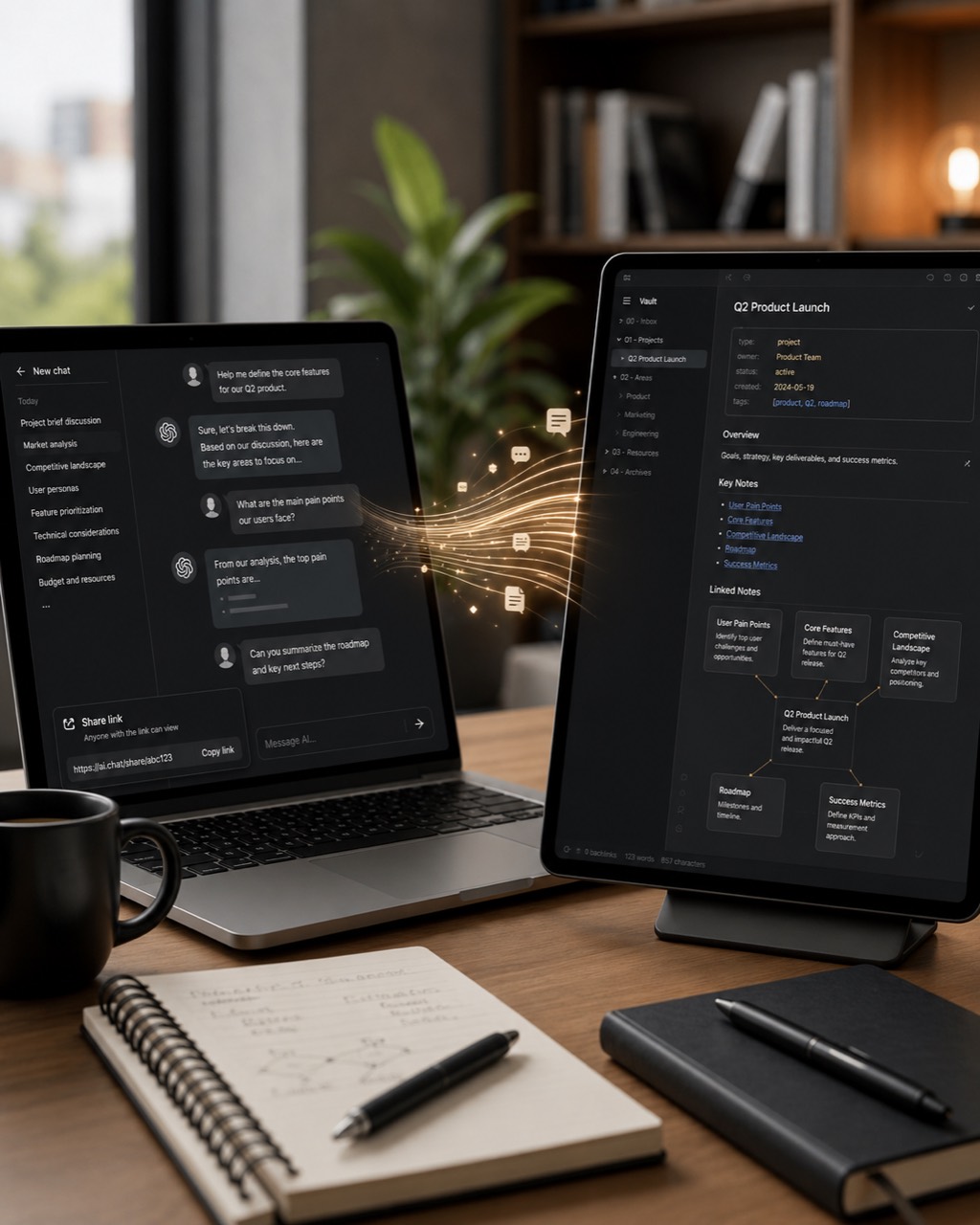
From AI chat to linked, locally accessible project knowledge.
However, this knowledge often gets lost in a chat history. A few days later, it’s hard to find the relevant conversation, the context is missing, and another team member ends up doing the same research all over again. Productive use of AI alone does not yet lead to robust knowledge management.
A chat history is not yet a knowledge system
Chats are excellent for exploration. Thoughts can remain unfinished, different approaches can be tried out, and questions evolve as the conversation progresses. However, this format has its limitations when it comes to later use:
- Important decisions are often overshadowed by many side issues.
- Rejected approaches are not separated from valid results.
- Sources, assumptions, and open questions do not have a uniform status.
- Knowledge is tied to a specific course of events and is often tied to a specific person.
- The following tools have difficulty reusing the content in a targeted manner.
The solution isn't just another chat archive. The solution is a structured process for transferring the conversation into the project's knowledge management system.
My Current Workflow with Obsidian
- Complete the work phase: The chat has reached a clear interim result or a decision.
- Securely Share Files: Non-sensitive content can be shared via a share link. For confidential data, I use only a controlled local copy.
- Open Obsidian Vault as a project folder: Select the local Vault as a project folder in a suitable AI work tool—such as Codex Desktop.
- Don't just summarize: Facts, decisions, concepts, risks, open questions, and tasks are extracted separately.
- Updating Markdown files: Existing notes are expanded, new knowledge modules are linked, and the project index is updated.
- Review changes: Sources, status, and responsibilities are verified before the notes are considered reliable project knowledge.
A Simple Structure for the Vault
The specific folder structure depends on the project. To get started quickly, a few clearly defined files are often all you need:
- 00 Project Index: Objective, Status, Key Links, and Next Steps.
- Decisions: Decision, Date, Rationale, Alternatives, and Consequences.
- Research and Sources: Findings, including sources, dates accessed, and assumptions that have not yet been verified.
- Concepts: robust solution components and their relationships to other notes.
- Risks and Unresolved Issues: Points That Need to Be Clarified Before the Next Decision Is Made.
- Tasks: Specific next steps, including the people responsible and the desired deadline.
Obsidian is well-suited for this because Markdown files can be stored locally, searched, linked, and versioned. This means that knowledge isn't tied to a single application.
The extraction task is more important than the summary
A traditional summary smooths out the flow of the conversation. Project knowledge, on the other hand, requires separation, status, and traceability. A possible work assignment is:
Analyze the provided chat as a project handoff. Extract confirmed facts, decisions made along with their rationale, rejected approaches, new concepts, risks, open questions, and specific tasks. Separate verified information from assumptions. For each point, include the source (or chat section) and status. Then update the project index and suggest meaningful links between the Markdown files. Do not overwrite existing statements if a contradiction has not been resolved.
This command does not prevent every error. However, it forces the system to distinguish between different types of information rather than simply generating a smooth, easy-to-read block of text.
A Small ETL Process for Knowledge
From a technical standpoint, the workflow is similar to an ETL process:
- Extract: Identify relevant content from the chat.
- Transform: Verify, classify, and summarize statements, and add metadata to them.
- Load: Save knowledge modules in the appropriate Markdown files and link them to one another.
The crucial step is transformation. An AI-generated response does not automatically become the truth simply because it is stored in a knowledge database. Sources, validity, those responsible, and any apparent contradictions must remain visible.
Privacy: Use sharing links thoughtfully
With standard ChatGPT sharing links, anyone with the link can generally view the shared content. OpenAI also advises against sharing sensitive content via such links. A public sharing link is therefore not the appropriate channel for customer information, personal data, internal strategies, or login credentials.
In such cases, I work with a local, controlled copy and verify, before processing, which information is actually allowed to be transferred to the Vault. Further details are provided in the official FAQ on ChatGPT sharing links.
Five Guidelines for Building Resilient Project Knowledge
- Distinguish between facts and assumptions.
- Document decisions, including the date and rationale.
- Preserve sources and origins.
- Do not automatically overwrite conflicts.
- Responsible individuals will review the handover.
AI chats shouldn't be relegated to the sidebar
A good chat yields more than just an answer. It creates a piece of the project’s history. If this knowledge is organized and incorporated, it creates a searchable and reusable record for the project—rather than a collection of forgotten conversations.
My conclusion: Completing an AI-supported task should not mean “closing the chat.” It should trigger a brief knowledge transfer: extracting, verifying, linking, and making the information available for the next step.