
digiKam 9.1: Open-Source Photo DAM Review
Gerhard G. StocKinger · Published on July 21, 2026
Anyone who manages tens of thousands of photos, RAW files, and videos needs more than just a folder structure. At the same time, not every image needs to be uploaded to the cloud for facial recognition, tagging, or similarity searches. It is precisely in this balancing act that digiKam comes into its own.
My quick take: digiKam is a powerful desktop system for local, metadata-rich image archives. The combination of an open-source license, XMP sidecars, broad format support, and locally executed AI is compelling. However, it is not designed to serve as a browser-based enterprise DAM for multiple users working simultaneously.
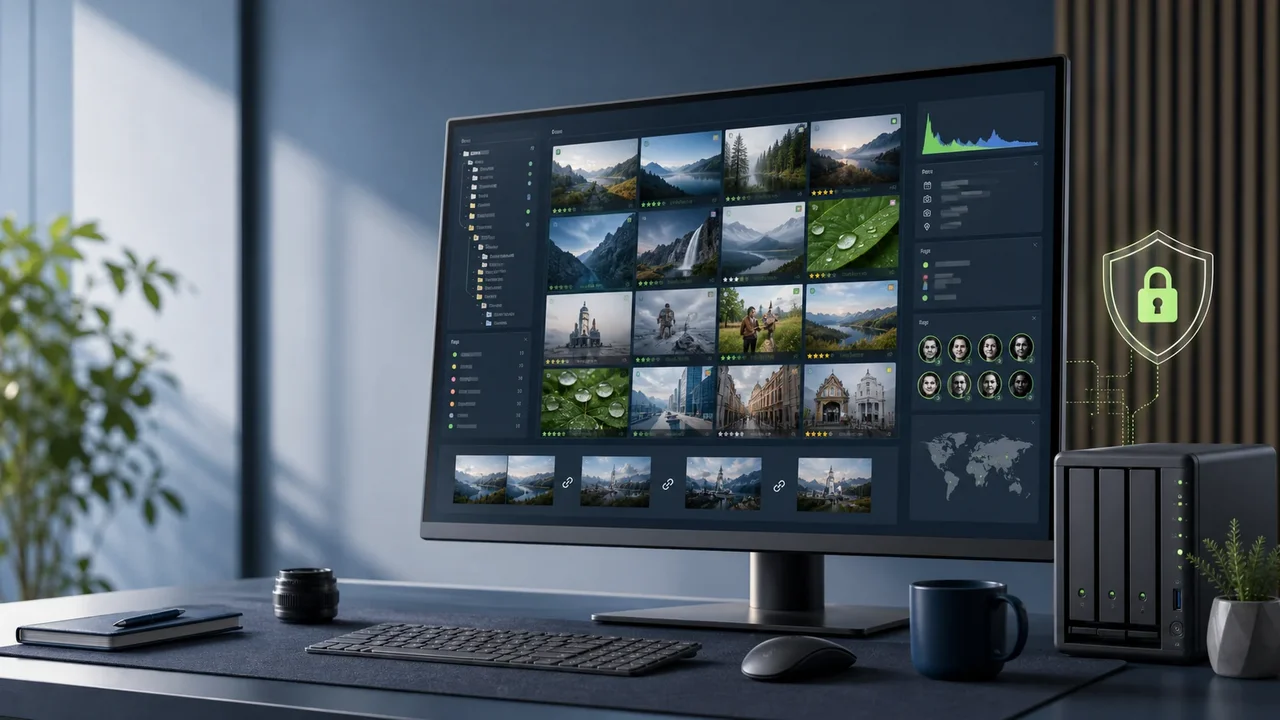
What digiKam Is—and What It Isn't
digiKam is an open-source application for managing, searching, editing, and outputting photos, RAW files, and videos. The current stable version, 9.1.0, was released on June 7, 2026. Official packages are available for Linux, Windows 10 or later, and macOS on Intel and Apple Silicon systems. The project is developed under the GPL v2.0 or later.
In version 9, the core was ported to Qt 6; Qt 6 is therefore the primary strategic path. Individual Qt 5 compatibility packages continued to be offered in version 9.1. This distinction is important when digiKam is to be packaged for a standardized enterprise environment.
| Product Type | Desktop DAM and Image Editing |
|---|---|
| License | GPL v2.0 or later |
| Platforms | Linux, Windows, and macOS |
| Data Management | Original files in the file system; catalog in SQLite or MySQL/MariaDB |
| Metadata | EXIF, IPTC, XMP, and XMP sidecars |
| AI Processing | Local; models are downloaded first, if necessary |
| Support | Documentation, community, and the KDE bug tracker; no traditional vendor SLA |
The Greatest Strengths
Cataloging and Metadata
Albums, hierarchical keywords, star ratings, color labels, and status indicators create a robust organizational system. You can search by date, file properties, tags, ratings, location, and EXIF, IPTC, and XMP fields, among other criteria.
The choice of metadata storage is particularly important from a strategic standpoint: Information can be stored in the digiKam database, in supported image files, or in XMP sidecars. When configured correctly, this ensures that the collection remains compatible with other applications and future migrations. However, XMP is no substitute for a backup, and the write strategy should be tested before performing a bulk import.
Local AI and Image Analysis
digiKam offers face recognition, automatic tagging, similarity and duplicate searches, quality rating, automatic alignment, and red-eye detection. The required models are downloaded the first time the program is used; subsequent analysis takes place on your own computer. Optional export and web service plugins can, of course, establish external connections.
For images containing personal data, internal company photos, research, or sensitive archives, this local processing offers a clear advantage. It facilitates data-protection-conscious operations, but it does not replace the legal basis or policies regarding authorization, deletion, and backup.
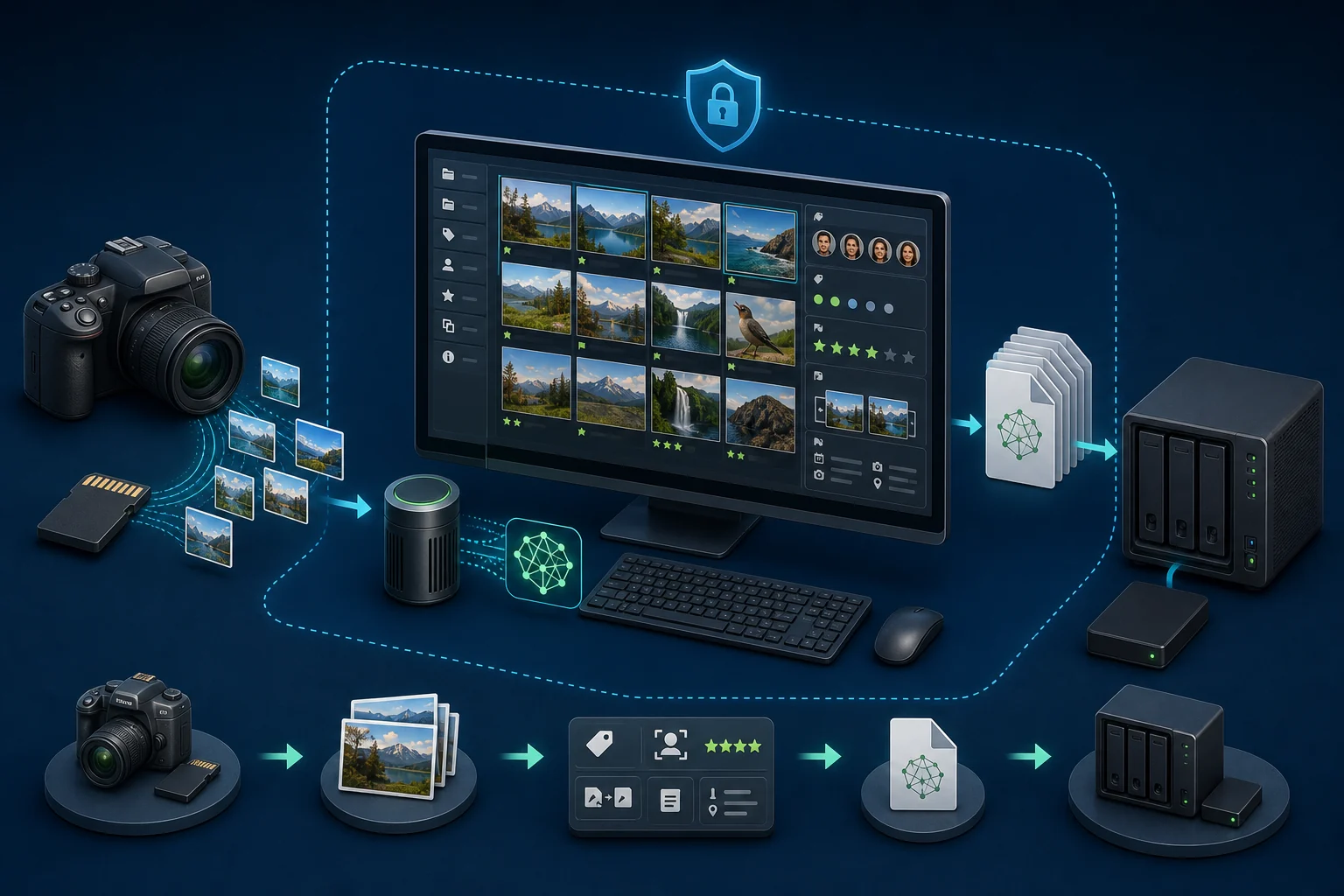 <figcaption>Originaldateien, lokale Analyse, Metadaten und Backup bleiben in einem kontrollierten Workflow.</figcaption>
RAW, Image Editing, and Batch Processing
RAW files are supported via LibRaw; darktable or RawTherapee can be integrated as external tools. The built-in editor covers typical adjustments such as color, sharpening, noise reduction, cropping, rotation, and lens corrections. An optional version control feature supports non-destructive editing.
The Batch Queue links tools to create repeatable processing workflows: develop RAW files, resize, apply watermarks, add metadata, generate the target format, and export. For complex retouching or compositing, a specialized pixel editor remains the better choice.
Manage videos, but don't edit them
Videos can be cataloged, tagged with metadata, previewed, and played back using FFmpeg. Actual video editing is not part of the system. Editing, advanced transcoding, and production workflows therefore require a separate application.
Architecture: Single-user, large archive, or NAS
digiKam manages four databases: core data, thumbnails, similarity features, and face recognition data. SQLite is used by default. Alternatively, MySQL or MariaDB can be used.
For a single workstation, SQLite with WAL mode enabled on an SSD or NVMe is usually the most practical choice. Even with six-figure image collections, the number of files alone should not be the sole factor in determining which database to use. The proportion of RAW files, preview sizes, AI processing, storage location, and work profile have a greater impact on performance than a blanket limit.
For images stored on a NAS, the database, preview data, and cache should be located on fast local storage. A wired network is significantly more reliable than Wi-Fi when dealing with large RAW collections. At a minimum, the originals, core database, and XMP sidecars must be backed up; preview, similarity, and facial data can generally be regenerated, though this takes time with large archives.
The Critical Issue: Multi-User Operation
Network shares can be integrated as collections. However, according to the official documentation, a shared database and collection may not be used by multiple digiKam clients at the same time. A shared image collection with separate local databases can be used in parallel; nevertheless, as soon as multiple workstations write metadata to the same files or sidecars, the potential for conflicts arises.
Virtual placeholder folders from OneDrive, Google Drive, or iCloud are also explicitly not supported as Collections. Files that are downloaded only when accessed do not reliably align with the continuous synchronization between the file system and the catalog.
My takeaway from this: digiKam can work in a NAS environment, but it is not a collaborative enterprise DAM with a browser-based interface, SSO, centralized roles, approval workflows, multi-tenant capability, and audit trails that meet compliance requirements.
Who digiKam Is a Good Fit For
- Photographers and small creative teams with clearly defined responsibilities
- Marketing and communications departments with a controlled image archive
- Archives, Organizations, Educational Institutions, and Research
- Organizations with high requirements for local data storage
- Migrations from Proprietary Photo Catalogs Using an XMP-Based Metadata Strategy
- Searching for duplicates, similar items, images, and metadata in large collections
When It Makes More Sense to Use a Different DAM Platform
- Many people need to work simultaneously using a browser
- External customers need portals and differentiated access permissions
- Multi-step review, task, and approval processes are required
- SSO, SCIM, multi-tenancy, and centralized audit logs are required
- A commercial SLA printer with guaranteed response times is required
My Editorial Assessment
The following values are my own assessment based on the documented features and architecture—they are not manufacturer ratings and are not a substitute for testing with your own image library.
| Dimension | Rating |
|---|---|
| Photo Management and Cataloging | 9/10 |
| Metadata and Interoperability | 9/10 |
| Data Protection and Local Processing | 9/10 |
| Format and RAW Support | 9/10 |
| Image Editing | 7/10 |
| Batch Processing | 8/10 |
| Ease of use | 6/10 |
| Multi-user collaboration | 3/10 |
| Enterprise Governance | 4/10 |
| Value for the money | 10/10 |
Before implementation: POC with real data
A sound decision should not be based on a list of functions. I recommend conducting a proof of concept using a representative sample of the actual archive. The following should be tested:
- Import and preview speeds for typical RAW and video formats
- Quality and Duration of Face, Similarity, and Duplicate Searches
- XMP Roundtrip with the applications already in use
- Latency and Stability on the Intended NAS
- Backup and full restoration of originals, the database, and sidecars
- Behavior Regarding the Actually Allocated Workstations and Write Accesses
Conclusion
For local, privacy-focused, and metadata-intensive photo management, digiKam is one of the most powerful open-source solutions. Its data sovereignty, local AI, XMP strategy, and wide range of features are impressive.
The biggest mistake would be to automatically assume that it can serve as a replacement for any enterprise DAM. If desktop productivity and a controlled image archive are the main priorities, digiKam deserves a serious proof of concept. If collaboration, governance, and browser-based processes are the primary requirements, the product selection should go in a different direction.